motion-framer: A Claude Skill for Better React Animations
Last updated Oct 14, 2026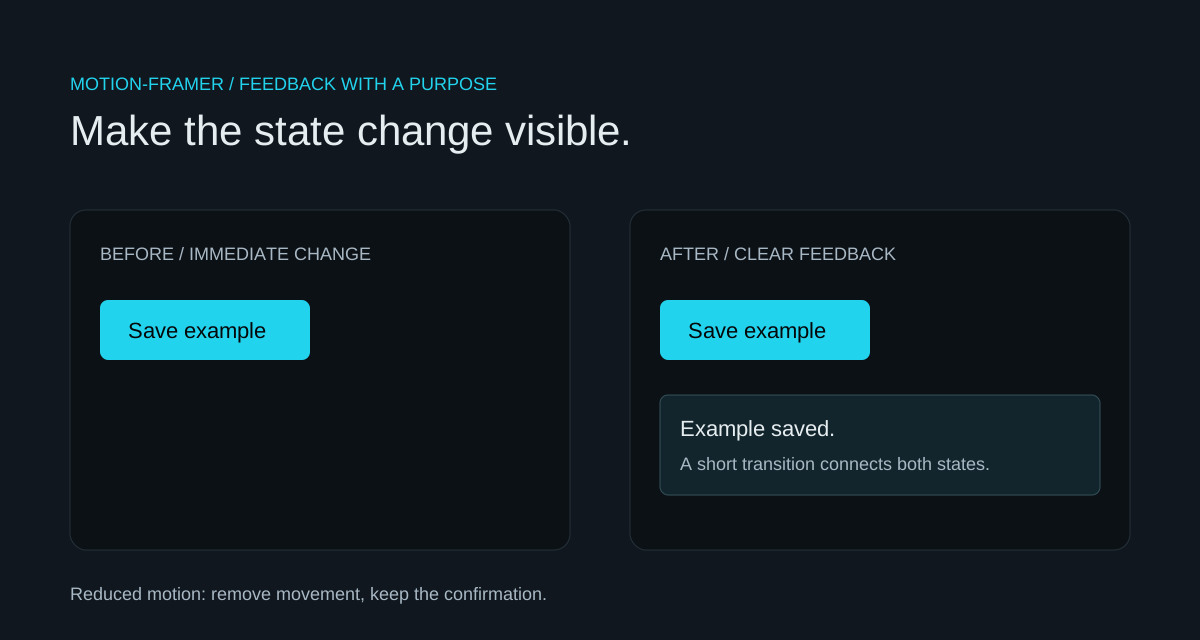
motion-framer is a skill in freshtechbro’s claudedesignskills repository that guides a coding agent through React animation patterns. It covers motion components, gestures, layout changes, exit animations, and springs. The skill supplies instructions; the Motion library supplies the animation runtime. Installing one does not install the other.
Why give an agent an animation skill?
“Make it feel better” leaves too many choices unstated. A focused skill gives the agent examples and conventions, but the brief still needs to explain the interaction: what changed, what the reader should notice, and when movement would be distracting. I prefer feedback tied to an action over decorative movement that runs continuously.
A button can acknowledge a press. A menu can show where it came from. A list can preserve a sense of position when an item moves. Those are concrete purposes to discuss with an agent. A good result also works with a keyboard and remains understandable when movement is disabled.
How do you add motion-framer to a project?
Get the original SKILL.md from freshtechbro and place the complete file at .claude/skills/motion-framer/SKILL.md in your project. Review the instructions before using them. In Claude Code, explicitly invoke /motion-framer with the component and behavior you want reviewed; follow Claude Code’s skill documentation for skill discovery and configuration.
Project layout:
.claude/skills/motion-framer/SKILL.md

Example Claude Code request:
/motion-framer Review this menu. Add an entrance and exit transition,
keep focus behavior intact, and respect prefers-reduced-motion.
The linked skill contains examples using framer-motion. For a new project, current Motion for React documentation uses the motion package and imports from motion/react. Match your installed package rather than mixing both import styles.
npm install motion
What makes a good animation prompt?
Name the interaction, the boundary, and the check. Here is a prompt you can adapt:
Use motion-framer to improve this React save button.
Add subtle hover and press feedback, then show a confirmation panel.
Keep the label visible and keyboard focus obvious.
Use a short fade instead of movement when reduced motion is enabled.
Explain which animation communicates which state change.
For a menu, specify how it opens and closes and where focus returns. For a reordered list, describe what should stay visually anchored. For scroll effects, keep reading content visible even when animation or JavaScript does not run. That is more actionable than asking for a fashionable visual style.
How does reduced motion change the example?
The small demo below shows a static button beside an enhanced button. Both toggle the same example panel. The enhanced version adds hover and press feedback and a short entrance or exit transition. When the device requests reduced motion, it removes scaling and translation and makes the transition immediate.
Use useReducedMotion for behavior that depends on the user’s preference. Initial content should remain visible before hydration; an animation is not permission to hide useful text until a client script runs.
"use client"
import { motion, useReducedMotion } from "motion/react"

export function SaveButton() {
  const reduceMotion = useReducedMotion()
  return (
    <motion.button
      type="button"
      initial={false}
      whileHover={reduceMotion ? undefined : { scale: 1.03 }}
      whileTap={reduceMotion ? undefined : { scale: 0.97 }}
    >
      Save example
    </motion.button>
  )
}
How do you check the result?
- Tab to the button and activate it with Enter or Space.
- Check that focus is visible and the button describes the panel it controls.
- Open and close repeatedly; the panel should not leave a stale interactive element behind.
- Enable reduced motion and confirm that scaling and movement stop.
- Try a narrow screen and a touch interaction, where hover is not available.
For a single color change, CSS may be enough. Motion earns its place when state transitions, gestures, or coordinated entrances and exits need more control. Keep the dependency and the motion proportional to the interaction.
Sources and related guides
Credit: freshtechbro’s motion-framer skill. Runtime reference: Motion’s official React guide. For the wider skill workflow, see the Claude skills overview and Claude SEO audits.
Try the interaction
Both buttons toggle an example confirmation. Use a pointer, Enter, or Space.
Before · immediate change
After · feedback and transition
Questions
Is motion-framer the animation library?
No. It is a set of instructions for a coding agent. Motion or Framer Motion must be installed separately in the application that runs the animation.
Do I need Motion for every hover effect?
No. A CSS transition can be sufficient for simple visual feedback. Use a library when its gesture, layout, or state-transition capabilities are useful.
Does the demo respect reduced motion?
Yes. It removes hover and tap transforms and uses immediate panel transitions when the device requests reduced motion.