MileLedger: Track Your Mileage and Driving Expenses
Last updated Oct 14, 2026
I made MileLedger to help drivers keep track of travel and costs, with automatic trip recording, business/personal classification, expenses, and exportable logs.
Download on Google Play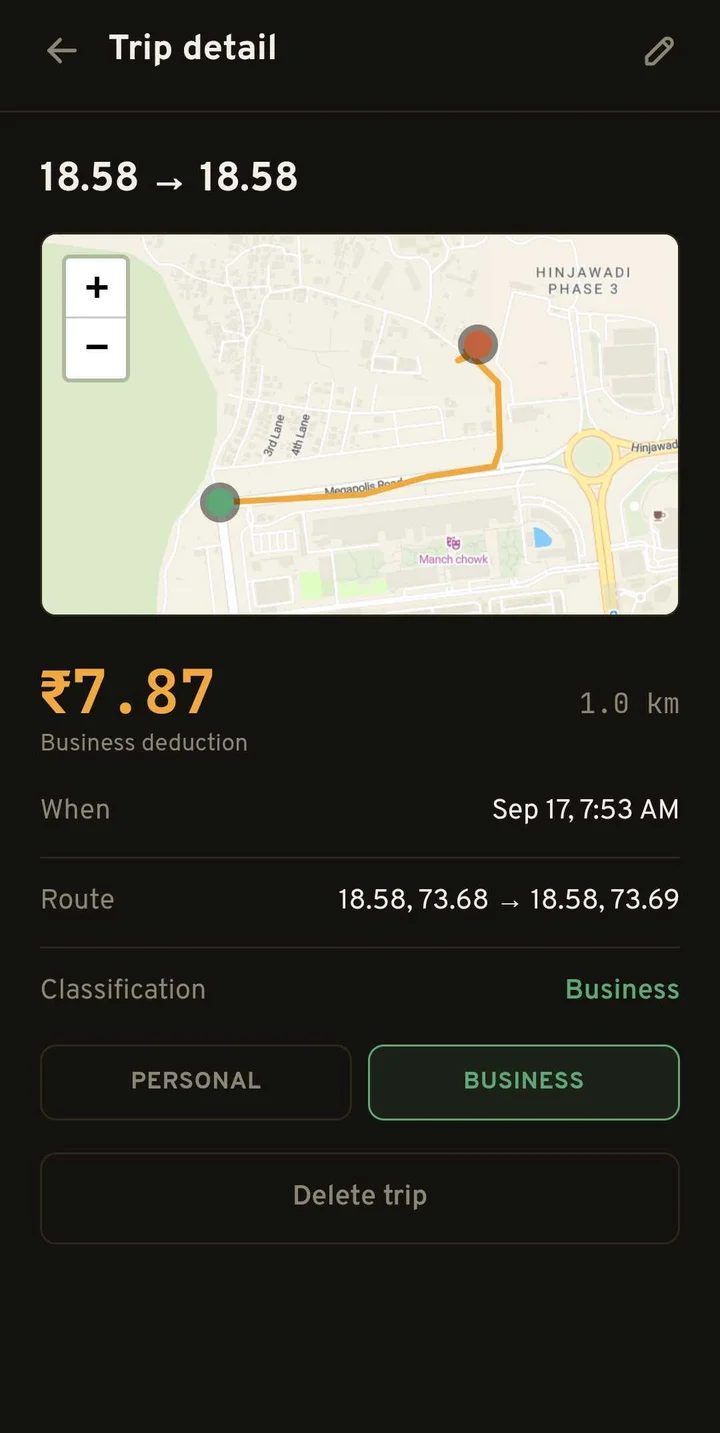
MileLedger is an Android mileage and expense tracker for drivers who want their trips and driving costs in one place. It records drives, lets you classify trips as business or personal, and provides PDF or CSV exports. I made it because I wanted a clearer way to track travel and its cost, especially for people who drive for work.
Why did I make MileLedger?
For a driver, distance is only part of the story. There are trips between stops, fuel purchases, tolls, and other expenses that are easy to scatter across notes and receipts. I wanted the record to be something people maintain during their driving routine, rather than reconstruct much later.
MileLedger is designed around that practical need. A trip log and an expense log answer related questions: where did I drive, why did I drive, and what did the work cost? Keeping them together makes a weekly review easier.
How do trips get recorded?
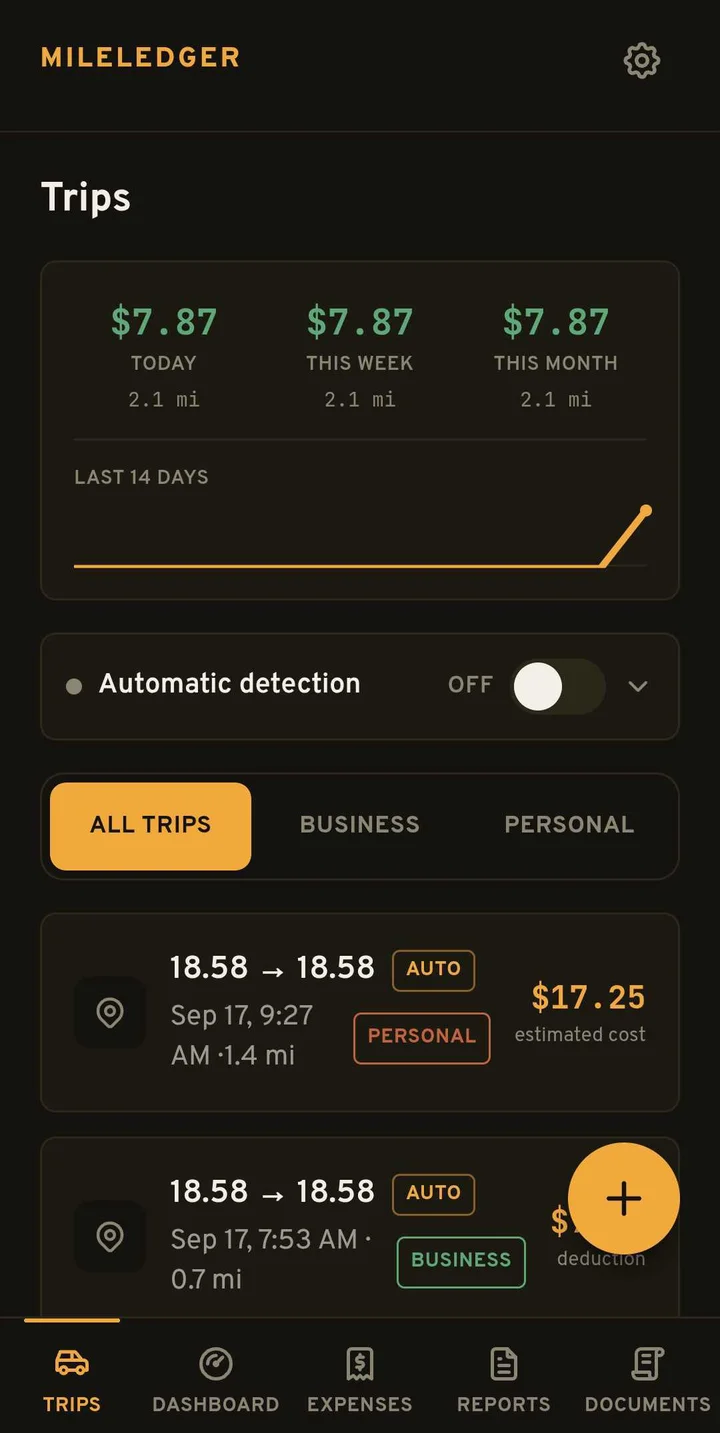
The current Play Store release describes automatic drive detection. After setup and the necessary device permissions, recorded trips can be classified with a swipe as business or personal. Review the entries instead of assuming every recorded drive belongs in one category.
Automatic recording still depends on device settings and permissions. Check the app’s setup and your recorded trips, particularly after changing your phone or its background settings. A complete-looking log should still be checked against your actual day.
What can drivers keep together?
- Recorded trips and their business or personal classification.
- Expenses such as fuel, tolls, car washes, and supplies.
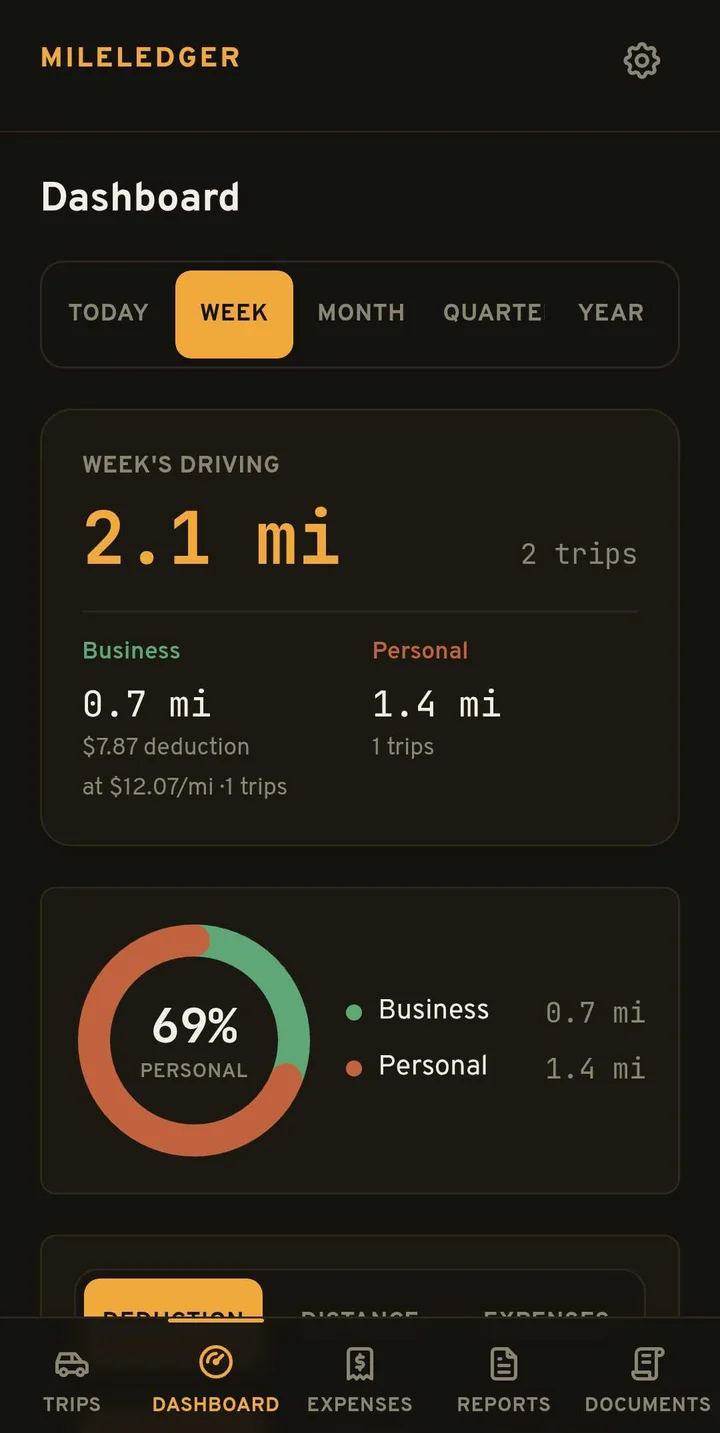
- A dashboard for reviewing driving records over time.
- Vehicle documents such as registration and insurance.
- PDF and CSV exports for reviewing or sharing records.
What about mileage deduction estimates?
The app also presents mileage deduction estimates using a configured rate. Treat those numbers as estimates based on your entries and settings. A classification inside an app does not establish that a trip is deductible, and tax rules depend on jurisdiction and circumstances.
This article is about keeping usable driving records. It does not claim that MileLedger guarantees tax savings, makes every commute deductible, or replaces professional tax advice. Before relying on an export, check the dates, purposes, distances, and applicable rules.
Who is MileLedger for?
The store listing focuses on gig drivers, including rideshare and delivery work. It can be useful when you want a regular routine for reviewing trips and expenses instead of a pile of disconnected records. Start with the recording setup, review a sample trip, and confirm that the units and rate match what you intend to track.
Where can you download it?
Get MileLedger on Google Play. Review the latest listing for release details, permissions, and data safety. Screenshots here are release examples; their distances and currency amounts are illustrative records, not a promise of savings.
For a tool that helps you return to daily routines, see Sergeant. Browse the rest of my releases on the Apps page.
Questions
Does MileLedger track drives automatically?
The current Android listing includes automatic drive detection. Recording depends on setup, permissions, and device behavior, so review your trip history.
Can I separate business and personal trips?
Yes. MileLedger includes business/personal trip classification and exportable mileage records.
Are the deduction amounts guaranteed savings?
No. They are estimates based on the selected rate and recorded trips. Eligibility depends on applicable tax rules and your circumstances.